FEATURED CASE STUDY · HEALTHCARE LEARNING
Reducing Cognitive Friction in Enterprise Healthcare Learning
How accessible learning architecture, multimedia, and workflow automation supported geographically distributed healthcare teams in a complex enterprise environment.
ROLE
Instructional Designer Remote - Temporary fill-time
SETTING
Geographically distributed healthcare teams across Vancouver Island
COLLABORATORS
Clinical informatics specialists, SMEs, learning designers, and leaders
TOOLS
Confluence, Cerner-related content, Word automation, Camtasia, and Adobe
ISLAND HEALTH · EHR ACTIVATIONS · 2023–2025
Clarity inside a complex, changing system
Busy healthcare professionals need accurate information, clear navigation, and practical guidance, without unnecessary cognitive burden. I supported education for multiple electronic health record activations across Vancouver Island, keeping online resources aligned with evolving systems, clinical workflows, and implementation schedules.
My role was not to reinterpret clinical practice. It was to give approved content a clearer instructional structure, so it was easier to find, understand, maintain, and use.

Learning architecture
Working with clinical informatics specialists and subject-matter experts, I turned detailed source material into organized online pathways, respecting content governance and clinical authority. Program areas included:
- Adult Critical Care
- Mental Health and Substance Use (Adult)
- Cardiac Short Stay
- Heart Catheterization Laboratory
Reducing cognitive friction
Consistent content structures, clearer navigation and tables of contents, expandable information, progress and assessment elements, reusable templates, and accessibility improvements across devices.
Concise instructional videos supported complex or frequently repeated processes.
Workflow improvement
Custom Microsoft Word macros automated high-volume editing, tagging, formatting, and quality checks during Confluence and Cerner-related platform changes. Short video tutorials let colleagues understand and reuse the processes.
Respecting confidentiality
Confidentiality note: This case study describes design methods, responsibilities, and non-confidential outcomes. Patient information, proprietary clinical content, and restricted system details are intentionally excluded. Where internal tools appear in the demonstrations, they show non-confidential workflow steps only.
DEMONSTRATIONS
Two Examples. One Design Philosophy.
One respects the learner’s time. The other respects the designer’s.
Both reflect the same commitment: make the important work easier without compromising its quality.
Effective instructional design isn’t simply about creating engaging content. It’s also about identifying, and eliminating, the unnecessary friction that prevents people from learning and working efficiently.
At Island Health, I approached this challenge from two directions: improving the learning experience for busy healthcare professionals and streamlining the behind-the-scenes workflows used to create and maintain their learning resources.
The following demonstrations illustrate both sides of that work.
The design principle: Every second of instructional media should earn its place. If it doesn’t help the learner understand, decide, or act, it may not belong there.
RESPECTING LEARNERS’ TIME
When less really is more
Healthcare professionals don’t have time to sit through unnecessary introductions before reaching the information they need.
One small example shows how easily cognitive friction can creep into instructional video. An opening sequence of about 19 seconds may seem insignificant on its own. But repeated across a learning journey, delays like this compete for the learner’s attention and time.
In this short demonstration, I compare that extended introduction with a 6-second alternative, showing how a few thoughtful editorial decisions can achieve the same purpose in about a third of the time.
RESPECTING DESIGNERS’ TIME
Automating the repetitive, preserving the human
Not every obstacle to effective learning design occurs in front of the learner. Sometimes the friction is buried in the production workflow itself.
While developing and maintaining healthcare learning resources at Island Health, I encountered repetitive content-management tasks that consumed valuable development time without requiring meaningful instructional judgment. Rather than continuing to perform those tasks manually, I developed Microsoft Word macro-assisted workflows that automated portions of the process.
The short demonstration shows one example of this workflow, from raw page list to finished labels.
The broader automation work reduced production time by more than 50% for applicable tasks, allowing more attention to go to content quality, usability, and the needs of healthcare learners.
Original workplace demonstration (35 sec, narrated). Watch the raw page list become formatted labels.
The design principle: Automate repetitive operations, not the professional judgment that makes learning effective.
INTERACTIVE SIMULATOR
Try it yourself: Macro Mission
Practise the same workflow in a short interactive simulation, set in the fictional Waverly Health System.
RESULTS
Beyond the demonstrations
The examples above were part of a broader body of work. Here’s what it achieved.
Practical improvements that supported the work
- Learning resources for multiple electronic health record activations
- More structured and navigable online learning journeys
- Improved accessibility and usability across devices
- Reusable templates and instructional-media practices
- More than 50% production-time savings on selected repetitive workflows
- Knowledge sharing through concise internal video tutorials
My temporary appointment was extended into a second year based on performance and project needs.
Purposeful multimedia
Multimedia problem-solving
I produced and revised instructional media using Camtasia, Adobe Creative Cloud, and selected AI-assisted techniques. The work included repairing uneven audio, revising narration when late script changes made full re-recording impractical, improving video pacing, simplifying reusable media templates, and producing concise tutorials.
AI-assisted techniques were used selectively, with human review and instructional purpose governing each decision.
Additional contribution
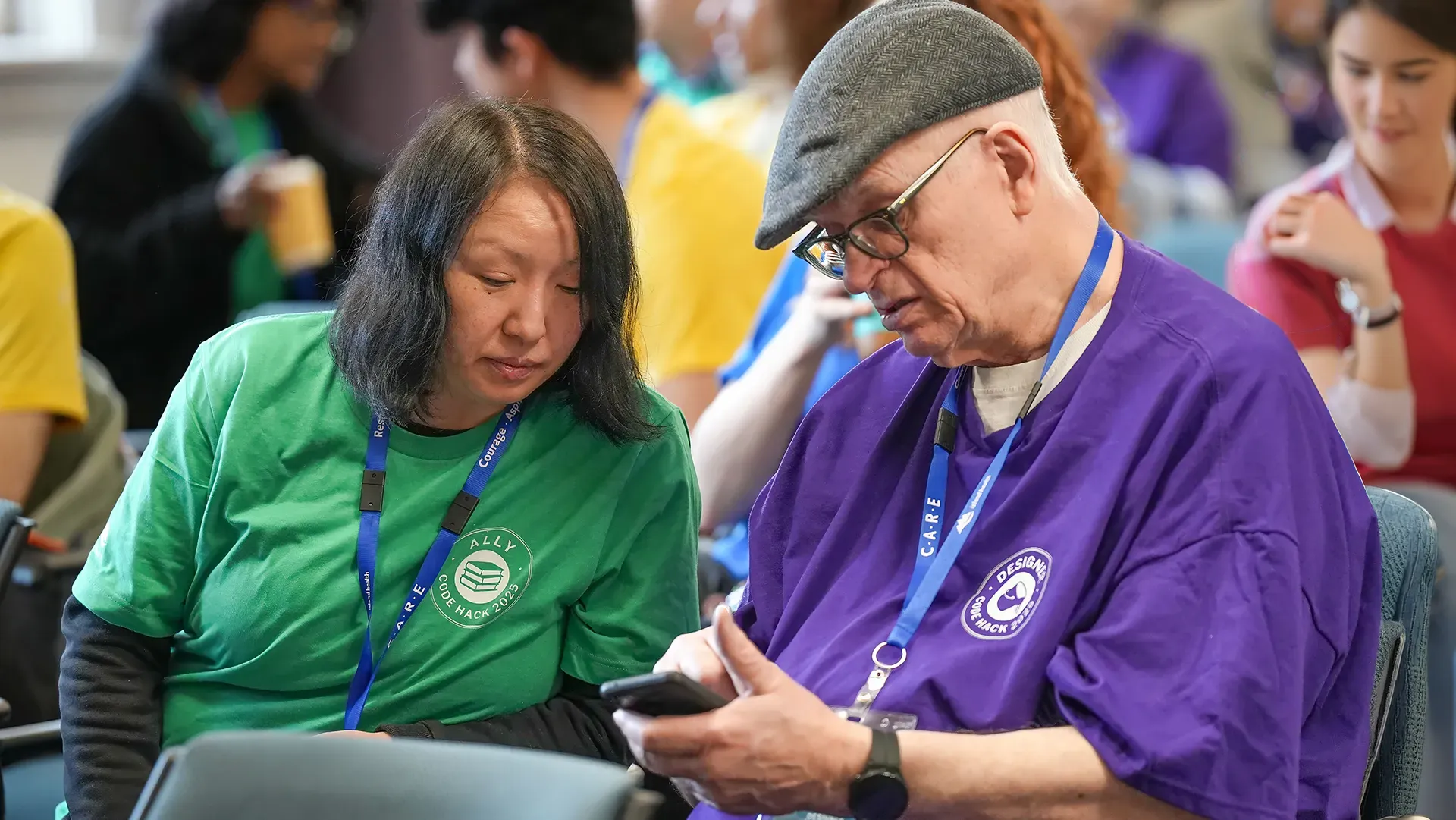
I participated as a designer and opening presenter in Island Health’s 2025 Code Hack event. Working with a multidisciplinary team, I helped develop and communicate a healthcare innovation concept centred on human dignity and social connection.
WHAT THIS WORK DEMONSTRATES
Designing responsibly inside enterprise constraints
This experience strengthened my ability to collaborate respectfully with clinical experts, turn dense technical material into usable learning structures, and balance accessibility, consistency, accuracy, and implementation deadlines.
It also clarified where I make my strongest contribution: accessible learning architecture, educational technology, multimedia, and sustainable course-development workflows.
THE CHOICE IS YOURS
Possible Next Steps